Note: this is an old entry: we did not have such reports since we moved to our own email infrastructure. If your Gmail sends our notifications to your Spam folder, please notify us by replying to this topic!
Some of you using Gmail complained that  notifications end up in their Spam folder.
Here is some information on what this happens, what you can do help whitelist legitimate email, and how to handle your email notifications.
Our Email Setup
Old setup
We’re using Gandi mail to handle our email. This means most emails coming from this Discourse instance goes through Gandi’s mail servers. As Gandi is a large email provider sending 30 million emails per day, some of their IP addresses eventually end up in blacklists. Note that our server’s IP address is not on any blacklist (that’s because we don’t send much email from there and never spam.)
G̸͍͇̚á̶̙̘g̷̋͝ͅģ̶̓l̸͍̀e̸̻͐ is very clear about how to handle this situation: use SPF, DKIM, and DMARC. We do have SPF records in our DNS zone. But Gandi mail does not support DKIM, so we cannot do anything about it.
We self-host Stalwart mail service and properly enforce SPF, DKIM, and DMARC: our emails should never end up in your Spam folder. If they do, read on!
warmly recommends using Stalwart for a solid email infrastructure using free software. Stalwart received NGI Zero funding, and has been an early adopter, trusting Stalwart since v0.4.0 (we became a paying customer in November 2024).
I can’t find a notification!
If you’re using Gmail, the notification may be put into the UPDATES folder. If you add the sender address (noreply@zoethical.org) in your contacts, it should become readily available next time!
I found a notification in my Spam folder!
Thank you for reporting it! The only thing you can do about it is to mark it as non-spam.
The system will learn and eventually stop marking it as spam.
I receive too many notifications and mark them as Spam.
Please don’t do this! Instead, check your account preferences (the  under your avatar) and change your email notifications to lower their amount. You can also do it per topic, only watching what you really want to follow, and muting topics that do not interest you. Documentation of the notifications system is a bit scattered around but I found this short introduction at Wikimedia.
You can use keyboard shortcuts to manage notifications faster (type ? for a list).
IsNotSpam Report
IsNotSpam.com is a service to check an email against SpamAssassin and other sources. It finds our email to be “ham” (non spam) with a top score.
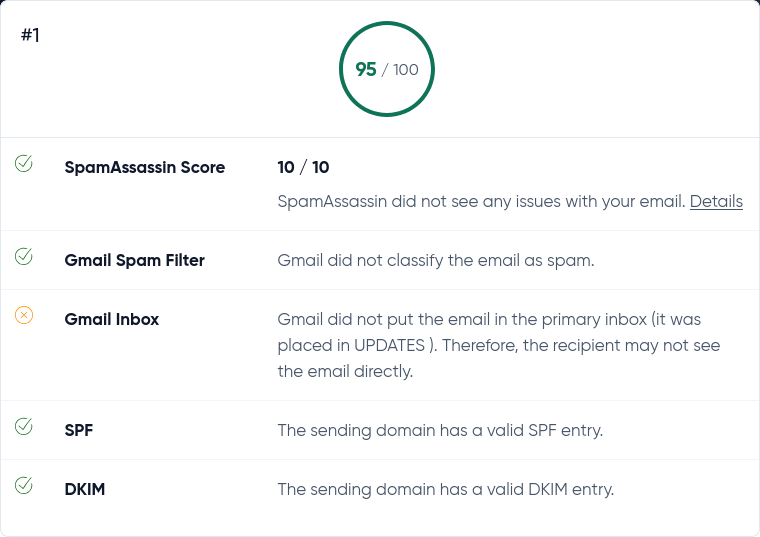
Gmail did not put the email in the primary inbox (it was placed in UPDATES). Therefore, the recipient may not see the email directly.